
SirenStream
Become a Radio Provider
Let’s walk through the steps to set up a radio stream
Step 1. Get a radio
To host a radio stream, you’ll need a physical radio. If you don’t already own a radio and are looking to purchase one, below are several radios that we’ve confirmed are compatible with SirenStream. If you already own a radio, please check to see if it’s supported. View supported devices
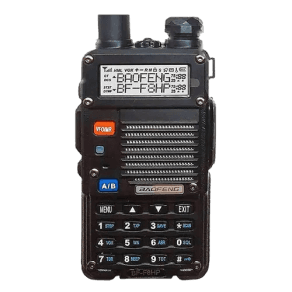
Baofeng BF-F8HP
Est Price: $40 - 70
Baofeng BF-F8HP
Est Price: $40 - 70
Baofeng BF-F8HP
Est Price: $40 - 70
Baofeng BF-F8HP
Est Price: $40 - 70
Step 2. Set up your Radio
body
Step 3. Install software on your PC
body
Next: Create your first radio stream
Need additional help?